About
Transactional emails are one-to-one emails that contain information relevant to a transaction or process the recipient has initiated. When a customer takes action on your website, you can notify them by sending an email. With Transactional Campaigns, doing this with Sitecore Send is now easier than ever.
This summer, Sitecore Send announced their new feature: Transactional Campaigns. This article explores this feature in detail and how to use it.
Core Functionality
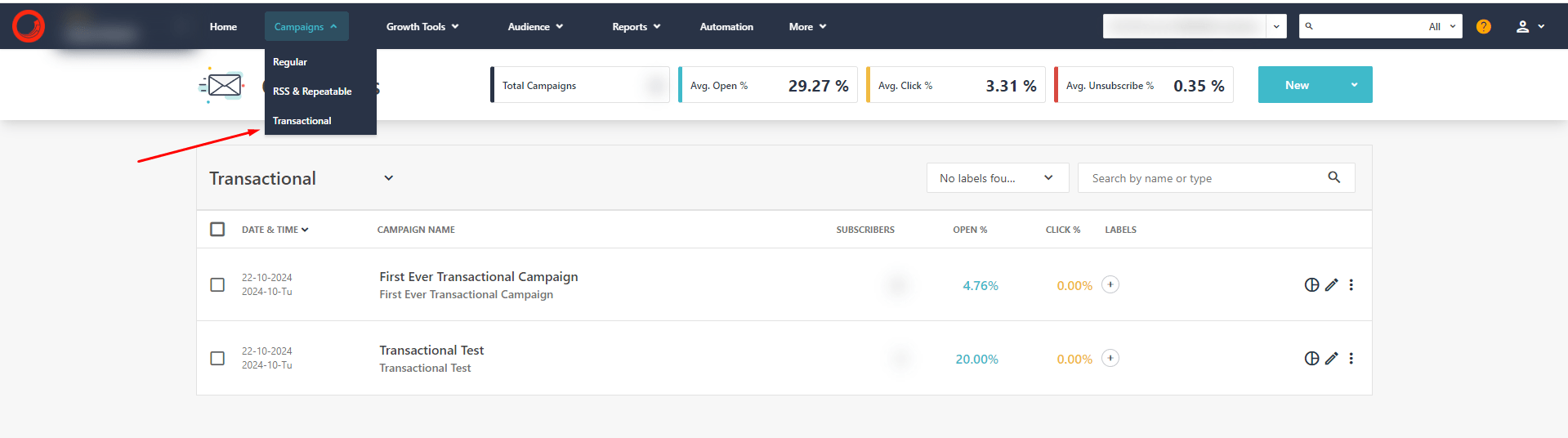
The Transactional Campaigns feature provides all the necessary steps to create, personalize, and deliver transactional emails.
Create, Design, and Configure
Everything editors could use for marketing emails is now available for transactional emails. This includes:
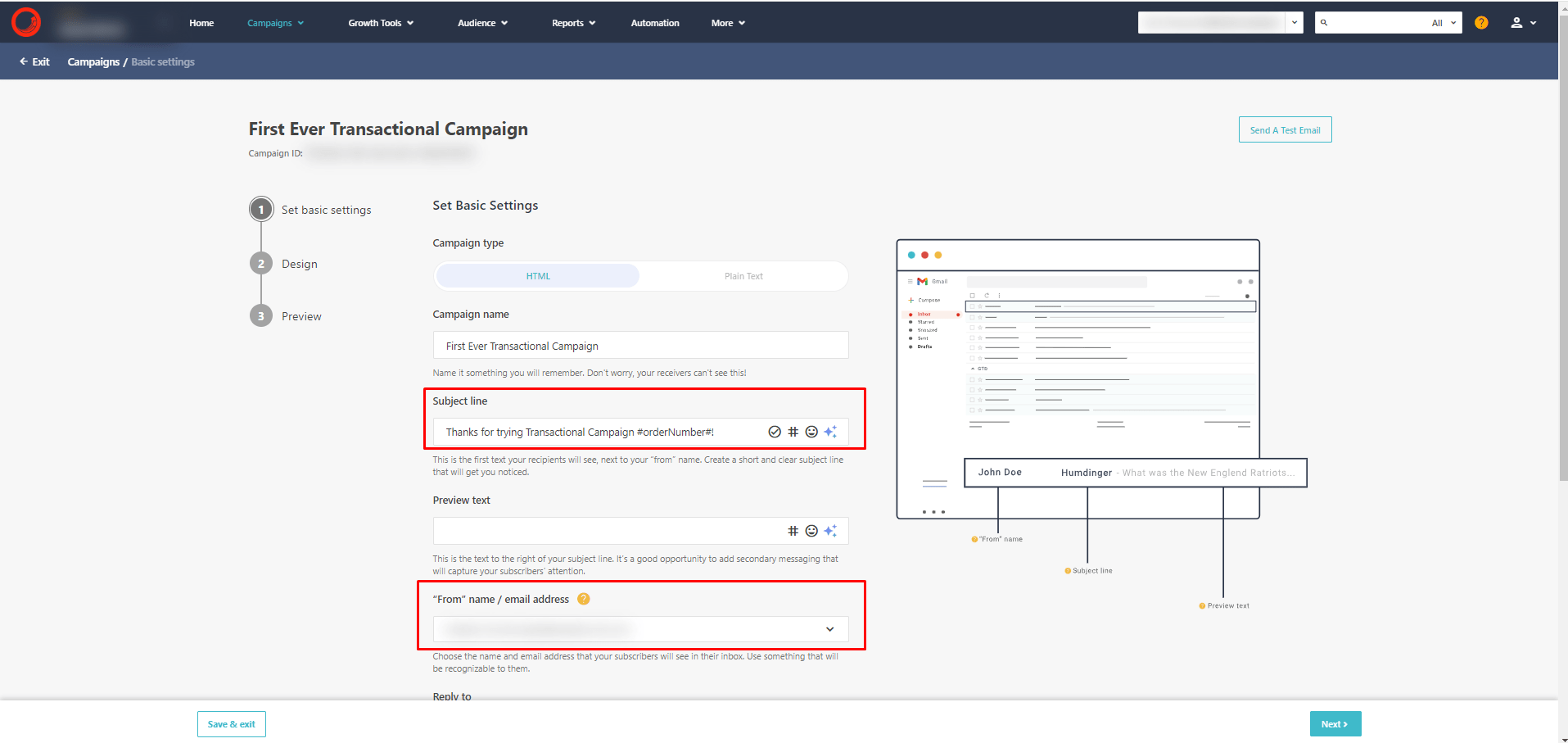
- Campaign settings: Specify basic settings (such as sender, subject, etc.).
- Design: You now have multiple design options for transactional emails, including using the Send Designer to create custom email designs.
Personalize
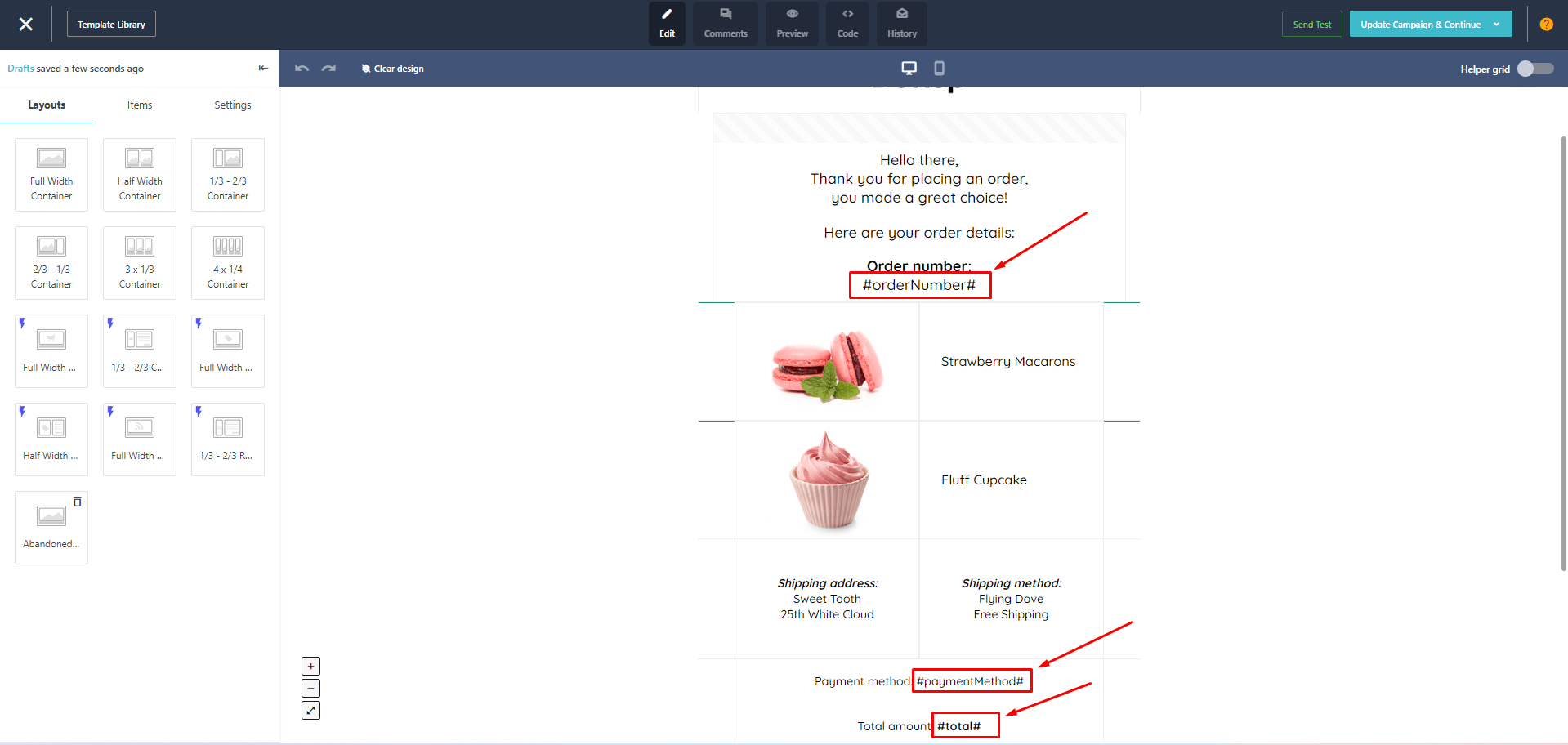
Personalization can be achieved using personalization tags or variables.
While personalization tags are well-known and commonly used in Sitecore Send marketing campaigns, variables are a new addition in Transactional Campaigns. Variable values are provided in the API request body in the substitutions field and are replaced dynamically when the email is sent.
Variable syntax example:
{{token_name}}

or

#token_name#
Note: Currently, only string values can be used for variables.
These variables can be used in the email design or in the subject line:
Deliver / Send via API
To send the email to a specific user, you need to call the API. The API documentation is available here.
Key features:
- Specify one or multiple recipients, each with individual substitutions.
- BypassUnsubscribeManagement - When set to true or omitted, the message will be delivered to the recipient even if they have unsubscribed from transactional emails.
- Add attachments to the email.
- Multiple options for email content: use the campaign design, provide a web URL, or include SMTP-style email HTML.
With my SitecoreSend.SDK NuGet package, you can send an email with the following code:
var request = EmailRequestBuilder.StartWithCampaign(transactionalCampaignGuid)
    .AddPersonalization(new Personalization("user1@example.com")
    {
        Substitutions = new Dictionary<string, string>()
        {
            {"orderNumber", "123456"},
            {"paymentMethod", "PayTest"},
            {"total", "123.00 USD"},
        },
    })
    .AddPersonalization(new Personalization("user2@example.com")
    {
        Substitutions = new Dictionary<string, string>()
        {
            {"orderNumber", "987654"},
            {"paymentMethod", "TestPay"},
            {"total", "99.01 USD"},
        },
    })
    .Build();

var result = await _send.Transactional.Send(request);
The response contains the status of the email sending.
Example response:
{
    "Code": 0,
    "Error": null,
    "Context": {
        "ExcludedRecipients": [],
        "TotalAccepted": 2,
        "TotalExcluded": 0
    }
}
Sample API call from Postman:
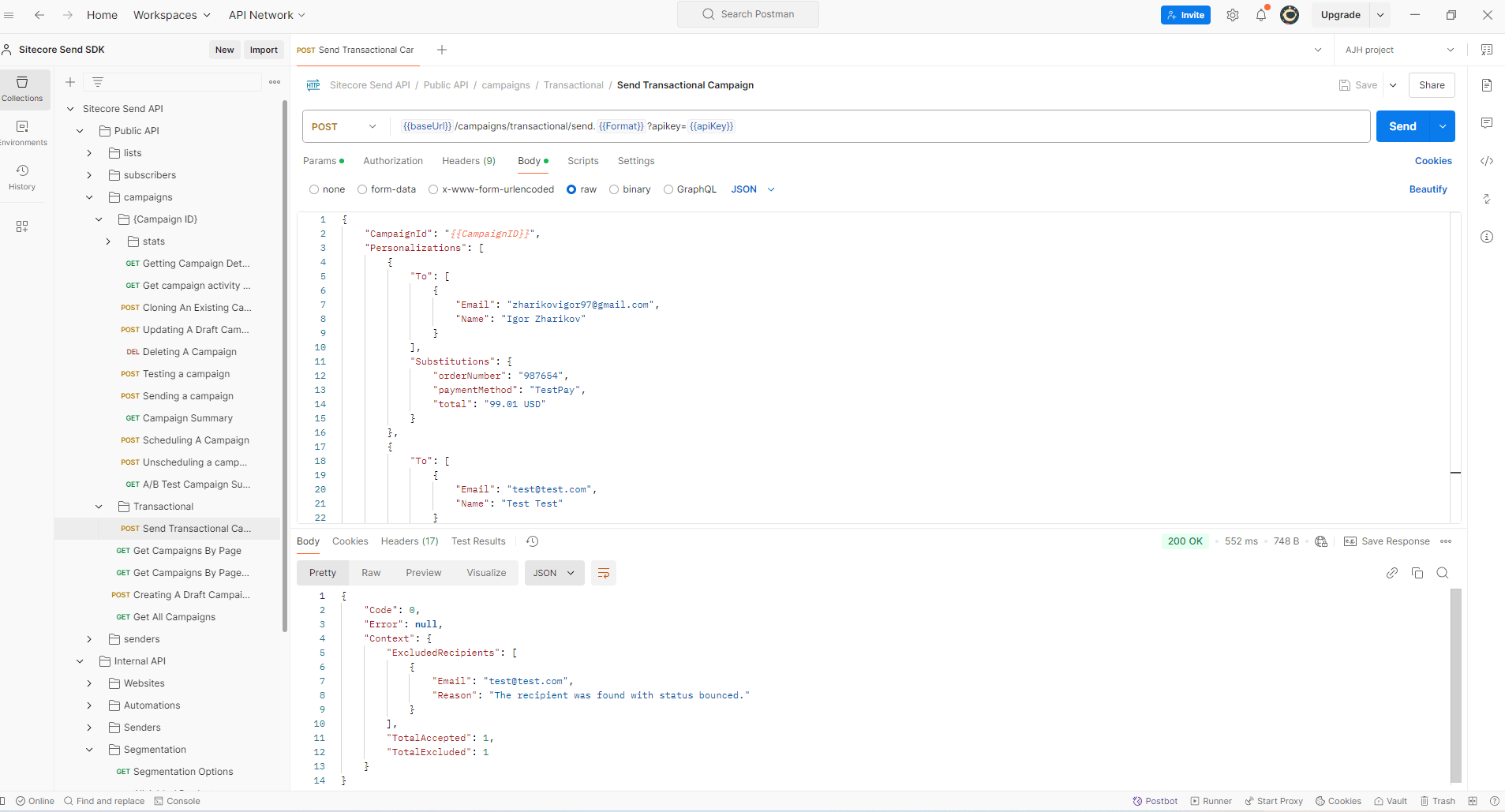
To download and use the Postman collection, visit my GitHub repository: Sitecore Send Postman Collection.
Features
Tracking
As with any other campaign in Send, you can track the following metrics for Transactional Campaigns:
- Sends
- Opens
- Clicks
- Campaign revenue (in Send) and Google Analytics tracking
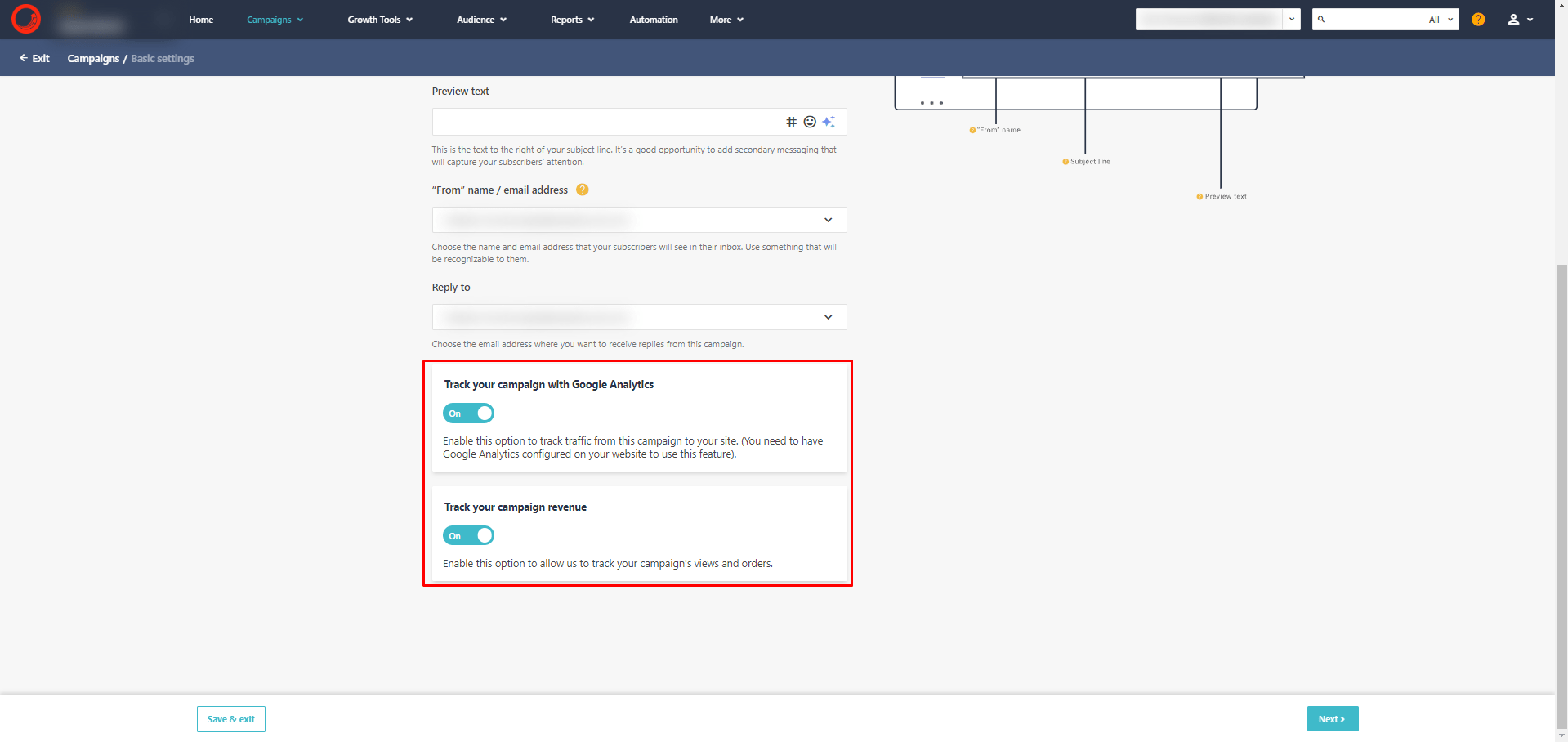
Attachments
Transactional Campaigns allow you to attach files to the email in Base64 format. You simply populate the attachments list field in the API request body.
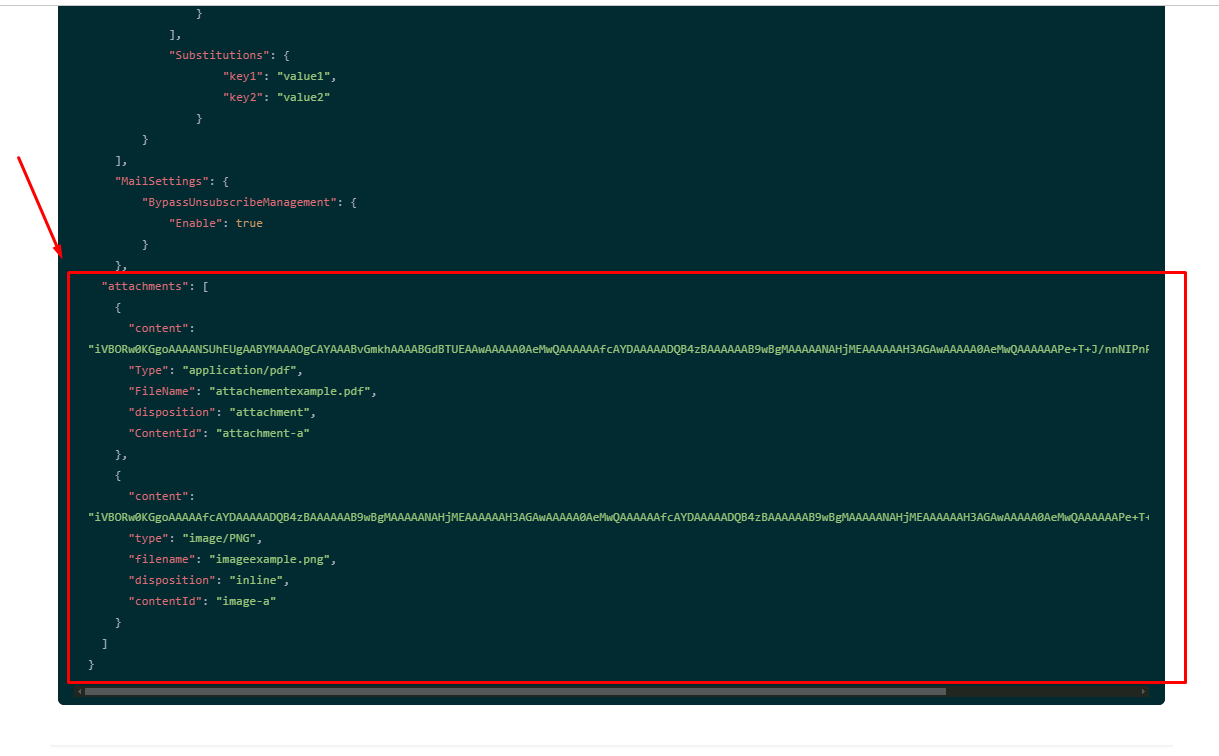
To add an attachment when sending a Transactional Campaign using SitecoreSend.SDK:
var request = EmailRequestBuilder.StartWithCampaign(campaign)
    .AddPersonalization(...)
    // add attachment here:
    .AddAttachment(new EmailAttachment()
    {
        // convert any stream into Base64 string:
        Content = AttachmentTool.StreamToBase64(File.OpenRead("icon.png")),
        // specify content type and file name:
        Type = "image/png",
        FileName = "icon.png",
    })
    .Build();

var result = await _send.Transactional.Send(request);
Transactional Campaigns vs. SMTP
There are two options to send transactional emails using Sitecore Send:
- SMTP - a traditional and well-known method for sending emails. Previously, this was the only option.
- Transactional Campaigns - the new feature described here.
The table below compares these two options:
| Feature | SMTP | Transactional Campaigns |
|---|---|---|
| Email Design in Send | No | Yes |
| Render Email Yourself | Always | Optional |
| HTML-Ready Email Support | Yes | Yes |
| Email Body by URL | No | Yes |
| Attachments | No | Yes |
| Bypass Unsubscribed | Yes [1] | Yes |
| License | Pro | Moosend+ / Enterprise |
[1] Bypass Unsubscribed means that emails are sent even if the recipient has unsubscribed from transactional campaigns. This can be done via the API for SMTP, but it's built-in for Transactional Campaigns.
Overall, transactional campaigns offer more flexibility and features for sending transactional emails, though SMTP remains an option.
Conclusions
The Transactional Campaigns feature in Sitecore Send is a powerful addition that makes it easier than ever to deliver personalized, one-to-one emails directly through the platform. Transactional Campaigns bring advanced capabilities, allowing marketers and developers to leverage Sitecore Send's design tools, personalization options, and tracking features for transactional emails.
Overall, Transactional Campaigns in Sitecore Send is a significant step forward, offering a more advanced and integrated approach to sending transactional emails.