Sitecore 10.5 is out - grab it on the download page. Stability release: treat it as a platform dependencies update plus a refreshed editor UI. What changed below.
TL;DR
- Windows Server 2025 - 2022 still supported, 2019 container images gone
- SQL Server 2025 - 2022 still supported, 2019 dropped
- Solr 10 only - Solr 8 and 9 support removed, Basic Authentication mandatory
- .NET Framework 4.8.1 - up from 4.8, Sitecore Framework libraries on .NET 10
- Refreshed editor UI
- Telerik 2020.3 to 2025.2 - your own licence key needed if you compile against Telerik
- GraphQL Playground and the Package Installer - gone or off by default
Dependencies
Windows Server 2025 is supported for all deployment types - SIF/SIA on-premises, Docker Compose, and AKS. Windows Server 2022 stays supported, so container images ship as ltsc2022 and ltsc2025. Windows Server 2019 images are no longer shipped.
SQL Server 2025 is supported across all database roles, SQL Server 2022 remains supported, and SQL Server 2019 is out. Web Deploy prerequisites moved with it.
The platform itself moves from .NET Framework 4.8 to 4.8.1 - all platform and component assemblies retargeted. Custom code compiled against 4.8 keeps working, but the runtime and an updated Visual C++ Redistributable have to be on the servers.
The Sitecore Framework libraries moved to their .NET 10 builds, with major version jumps, so anything referencing them needs recompiling.
Always check the compatibility table for the exact supported versions.
UI reskin
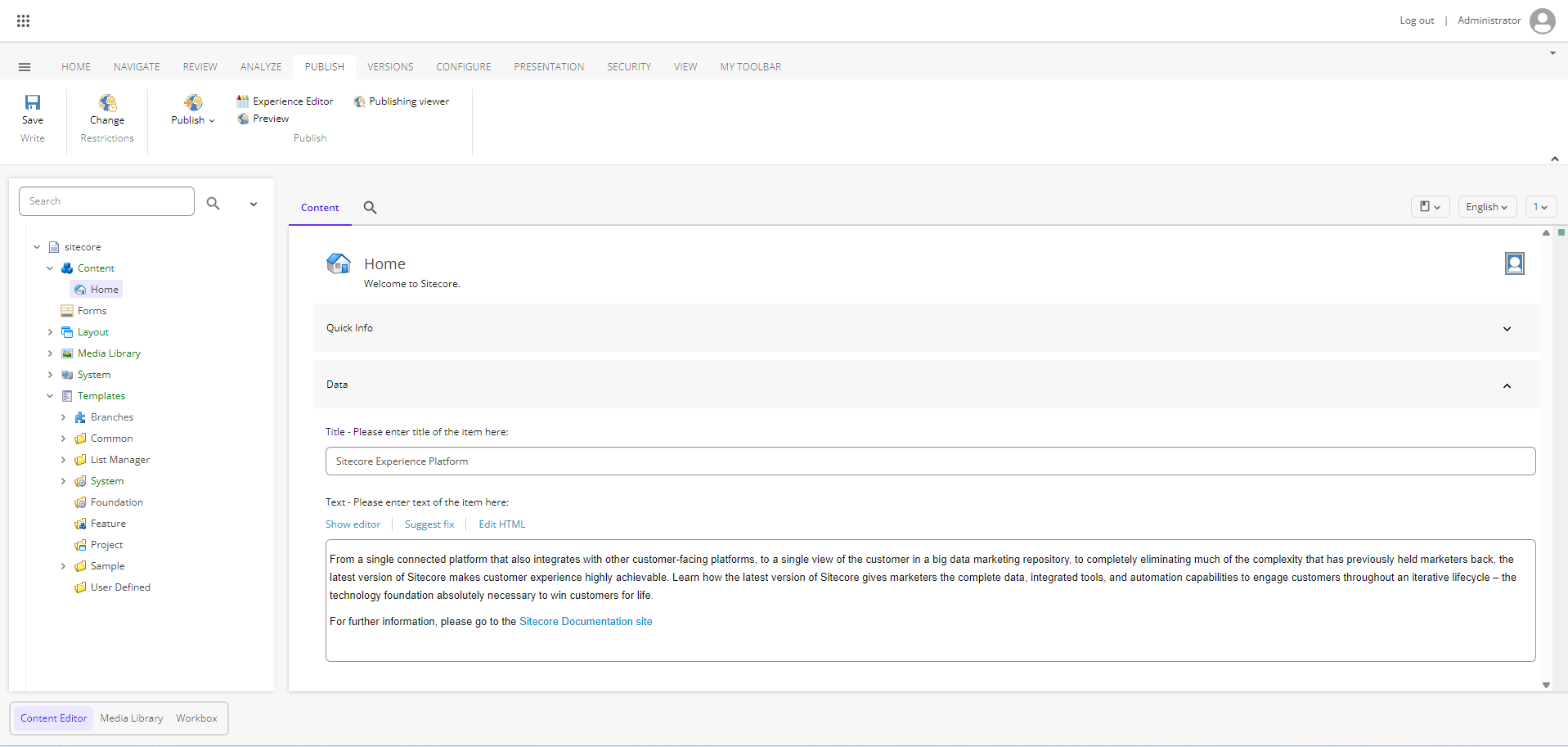
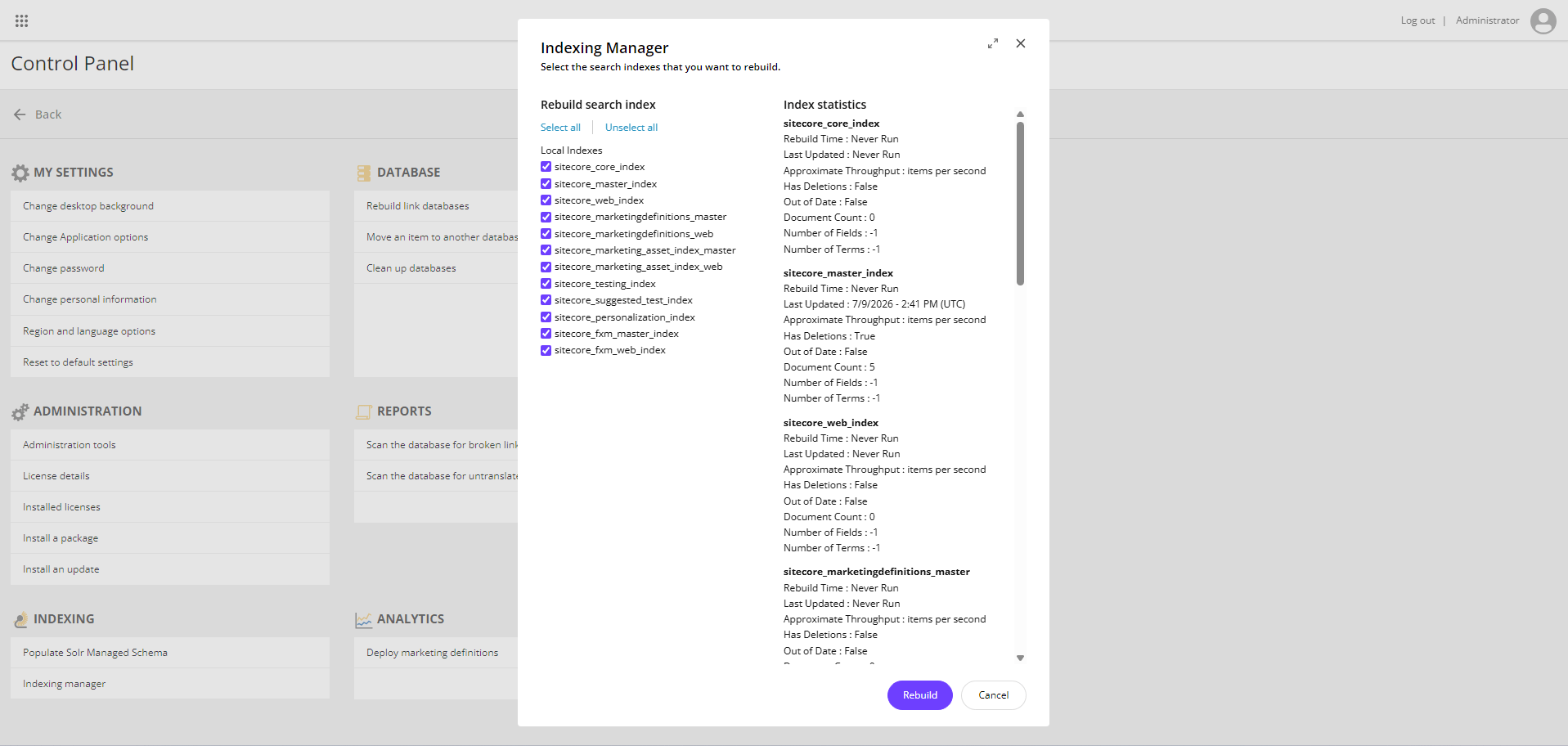
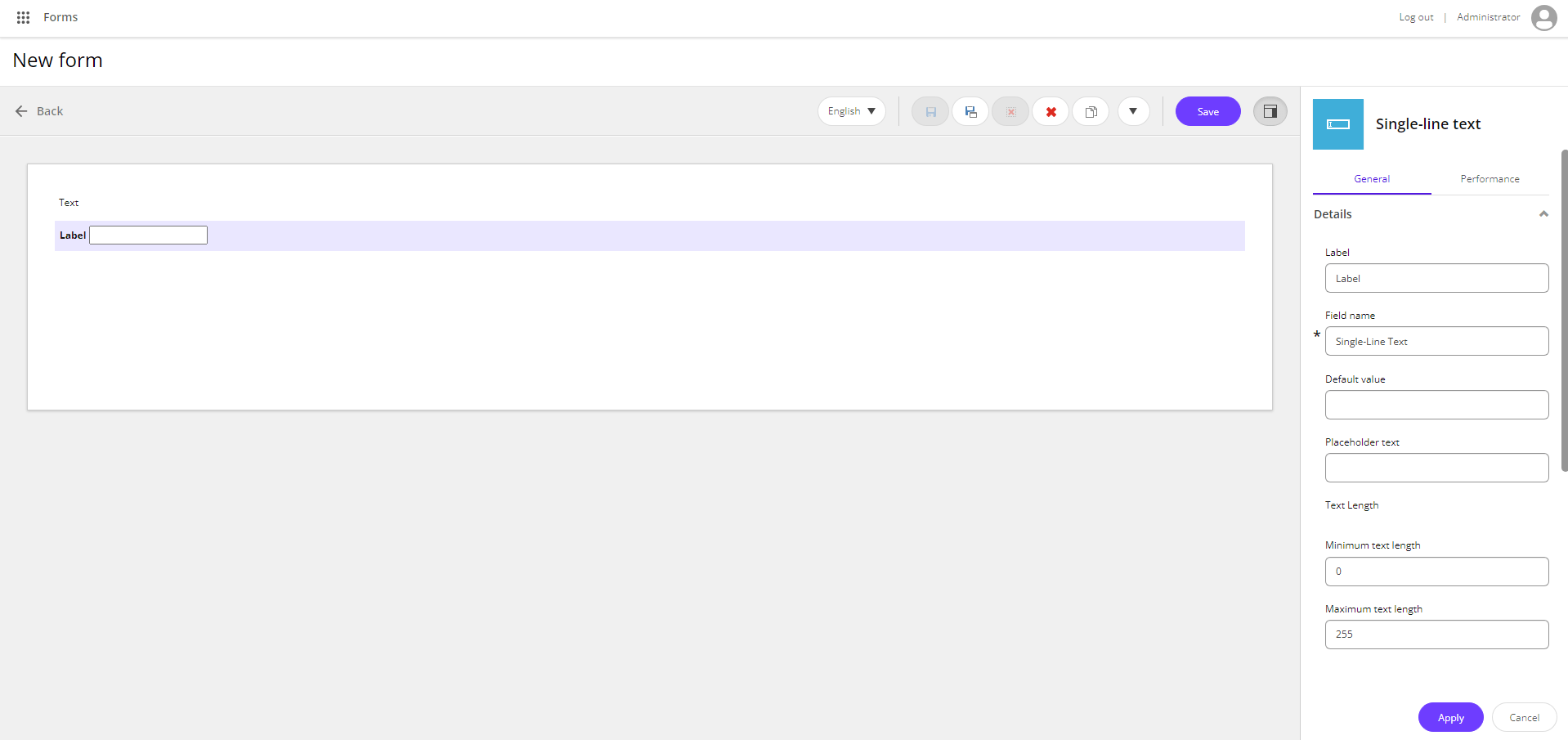
The editor UI moves to SitecoreAI branding - purple and grey in place of the classic XP chrome.
It is a reskin, not a redesign. Same layout, same navigation, just a more modern look.
Content Editor: flat light chrome, purple accents on the active tab and the application tabs at the bottom.
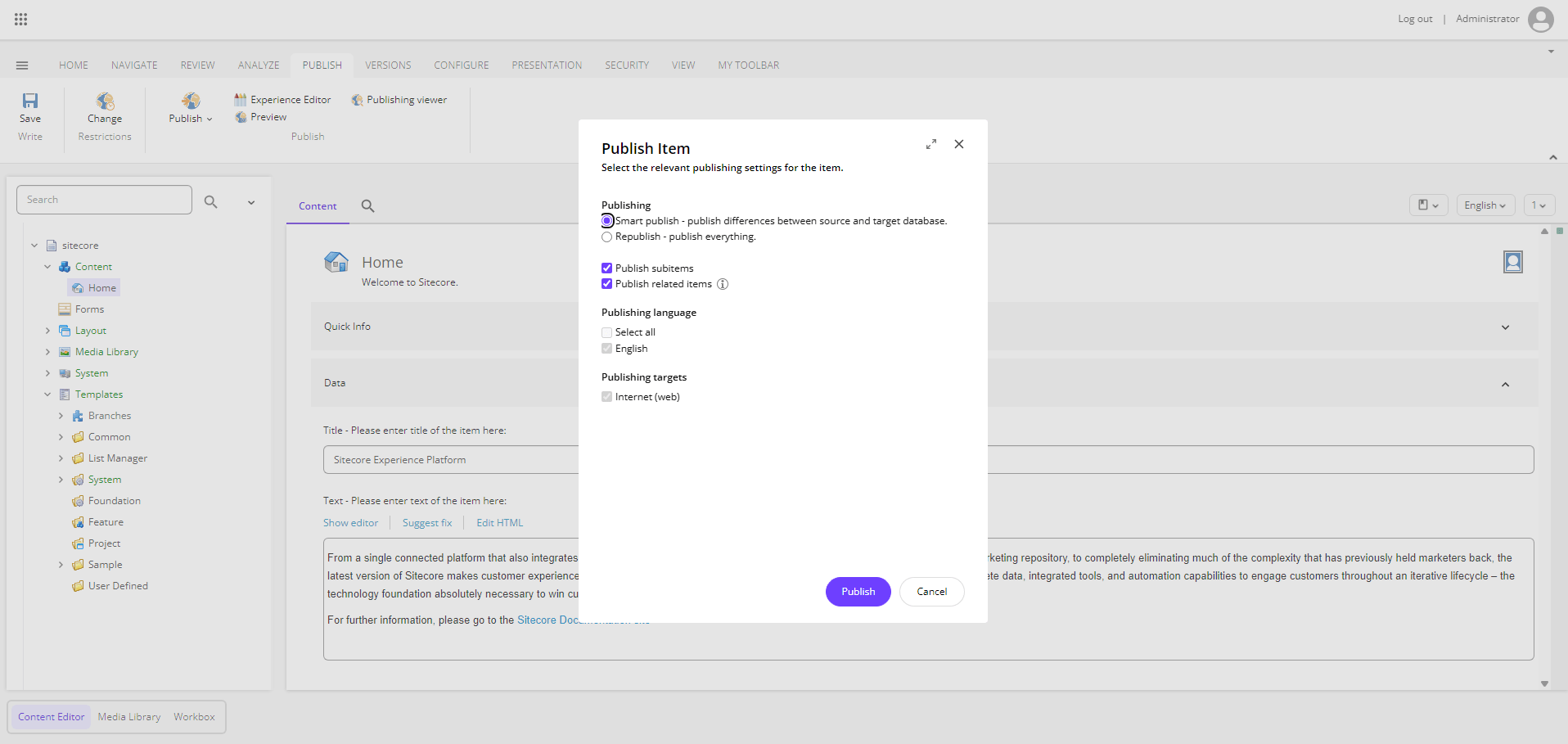
Dialogs got the biggest visual change - rounded corners, pill buttons, purple primary action.
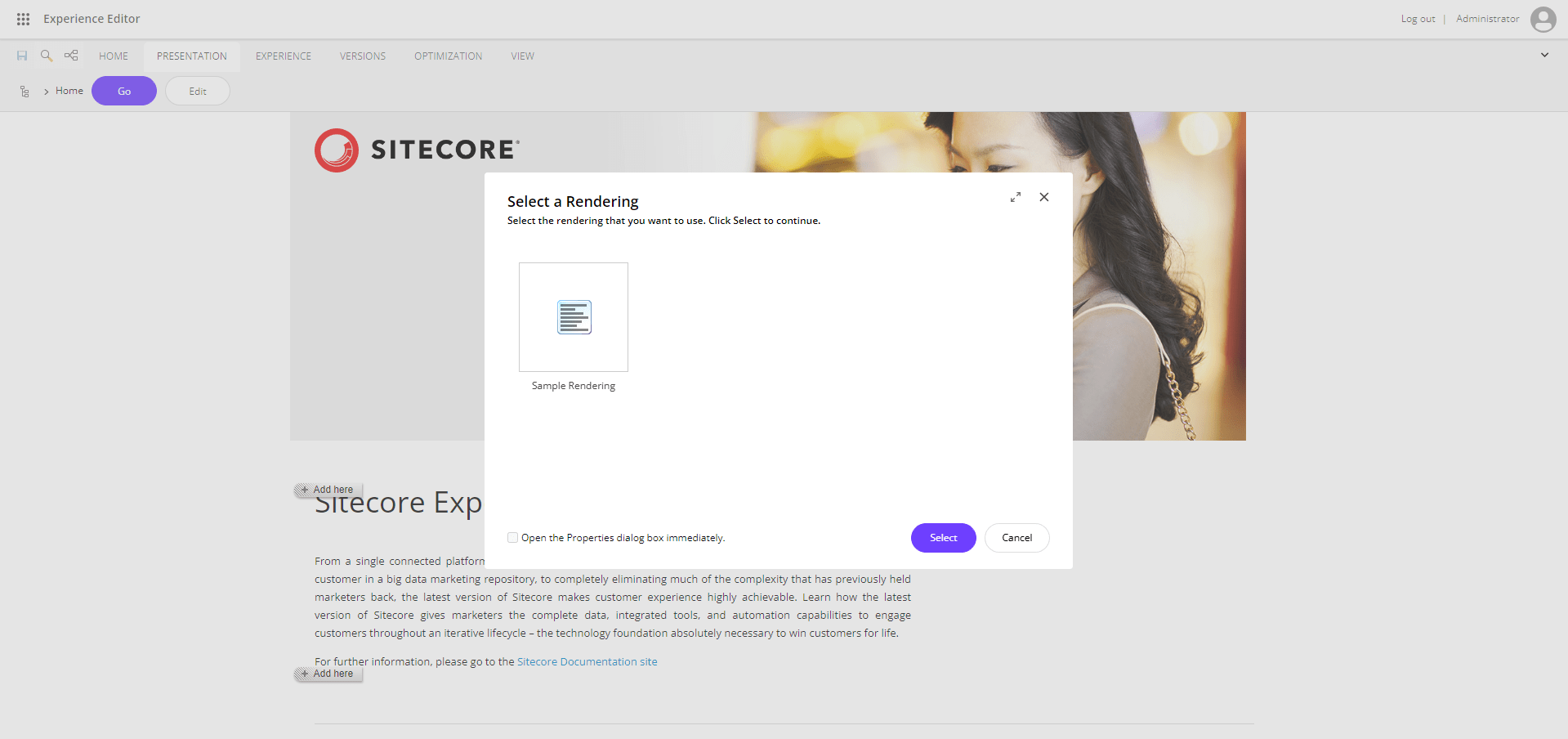
The reskin is not limited to Content Editor. Experience Editor gets the same treatment:
Same for admin apps like the Control Panel and Indexing Manager:
And Forms:
Solr 10
Sitecore 10.4.1 ran on Solr 9.8.1. Sitecore XP 10.5 supports Solr 10 only - support for Solr 8 and Solr 9 has been removed. Solr 10.0.0 is the tested version, and Solr 10's Basic Authentication is mandatory.
Quick comparison of what Solr 10 brings:
| Solr 9 | Solr 10 | |
|---|---|---|
| Search engine | Lucene 9 | Lucene 10 |
| Java (server) | 11 minimum, tested on 11, 17, 21 | 21 minimum |
| Security | opt-in, configured by hand | Basic Authentication mandatory |
| Config | legacy solrconfig options still accepted |
legacy options removed |
The Solr admin UI now asks for credentials.
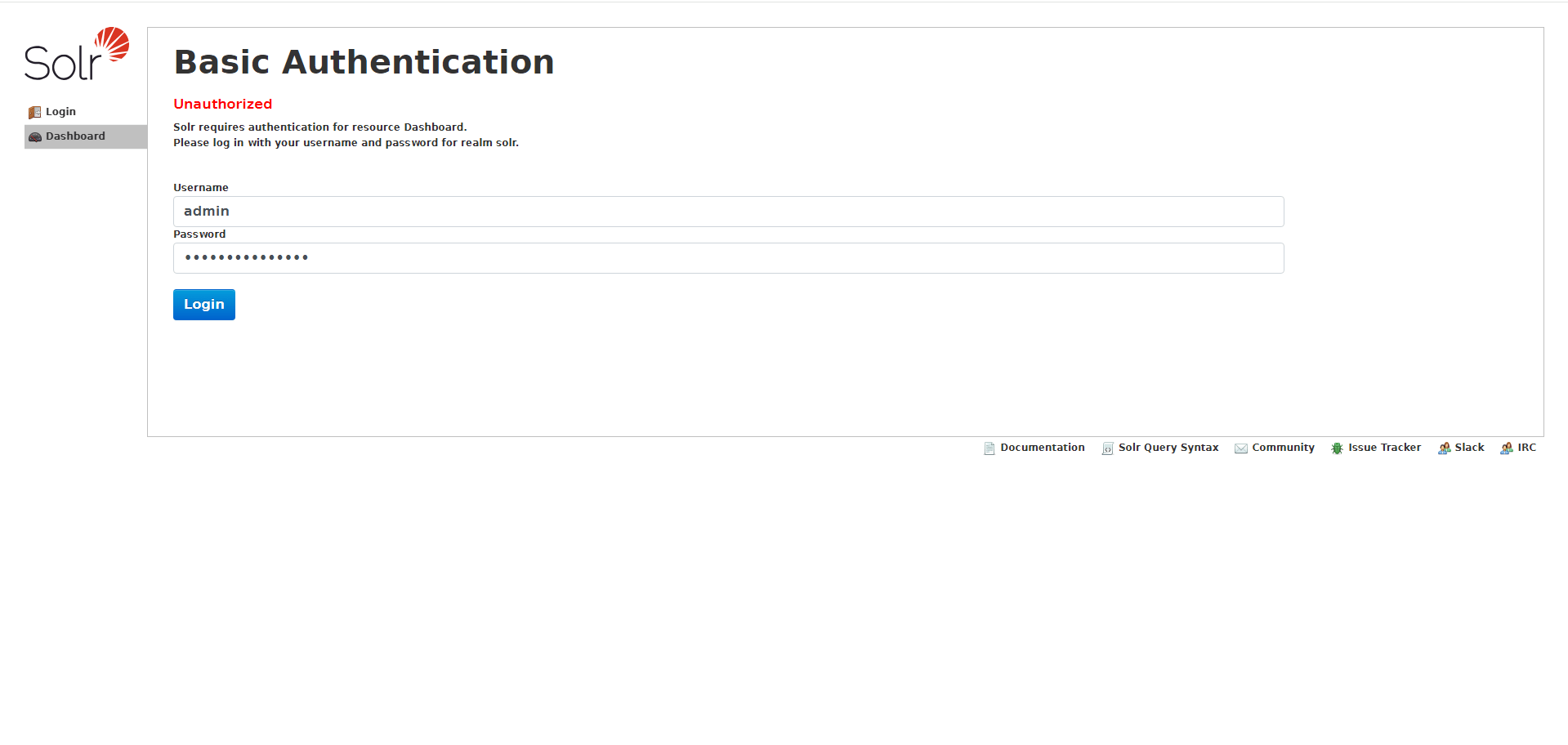
Authentication is also the part that touches your configuration. Solr credentials now live in the connection string:
Sitecore_ConnectionStrings_Solr.Search: http://<user>:<password>@solr:8983/solr;solrCloud=true
Two more search-side changes:
- Schema population changed. If you customized Solr schema population, that code needs updating.
- The managed schema file is renamed from
managed-schematomanaged-schema.xml.
Known issue: pivot faceting on SortableTextField can return wrong results because of SOLR-16139. Workaround is setting ContentSearch.Solr.UseEnumFacetMethod to true.
Plan a full reindex as part of the upgrade, and stand up Solr 10 fresh rather than upgrading an older cluster in place.
Quick start with Docker
Fastest way to see 10.5 is the containers deployment package. Grab it, then from the topology folder (xp0 here):
.\compose-init.ps1 -Topology xp0 `
    -LicenseXmlPath C:\path\to\license.xml `
    -SolrAdminPassword <admin-password> `
    -SolrConnectionPassword <connection-password>
docker compose up -d
compose-init.ps1 generates certificates, hosts entries and secrets, and fills in .env - run it from an elevated PowerShell session. After that https://xp0cm.localhost is your CM.
Note the two new mandatory Solr parameters. There are no defaults, and they set up two separate accounts: admin for the Solr admin UI, and sitecore for the connection user Sitecore itself uses. Both end up in .env and flow into the connection strings.
Images come in ltsc2022 and ltsc2025 flavours - pick the one matching your host OS:
| Image | Windows Server 2022 | Windows Server 2025 |
|---|---|---|
sitecore-xp0-cm, xconnect, workers |
10.5-ltsc2022 |
10.5-ltsc2025 |
sitecore-identity |
9.0-ltsc2022 |
9.0-ltsc2025 |
nonproduction/solr |
10.0.0-ltsc2022 |
10.0.0-ltsc2025 |
nonproduction/mssql-developer |
2025-ltsc2022 |
2025-ltsc2025 |
Registry stays scr.sitecore.com/sxp/. Full tag list lives in sitecore-tags.md. Traefik comes from Docker Hub, pinned to v3.7.5-windowsservercore-ltsc2025 / v3.7.5-windowsservercore-ltsc2022 in the compose file.
Breaking changes
The breaking changes page has the full list with exact type and member names. The parts worth mentioning:
Package Installer disabled by default
Sitecore.Packages.Disabled now defaults to true, so Package Installer and Package Designer are off. Run the Installation Wizard on a fresh 10.5 instance and this is what you get:
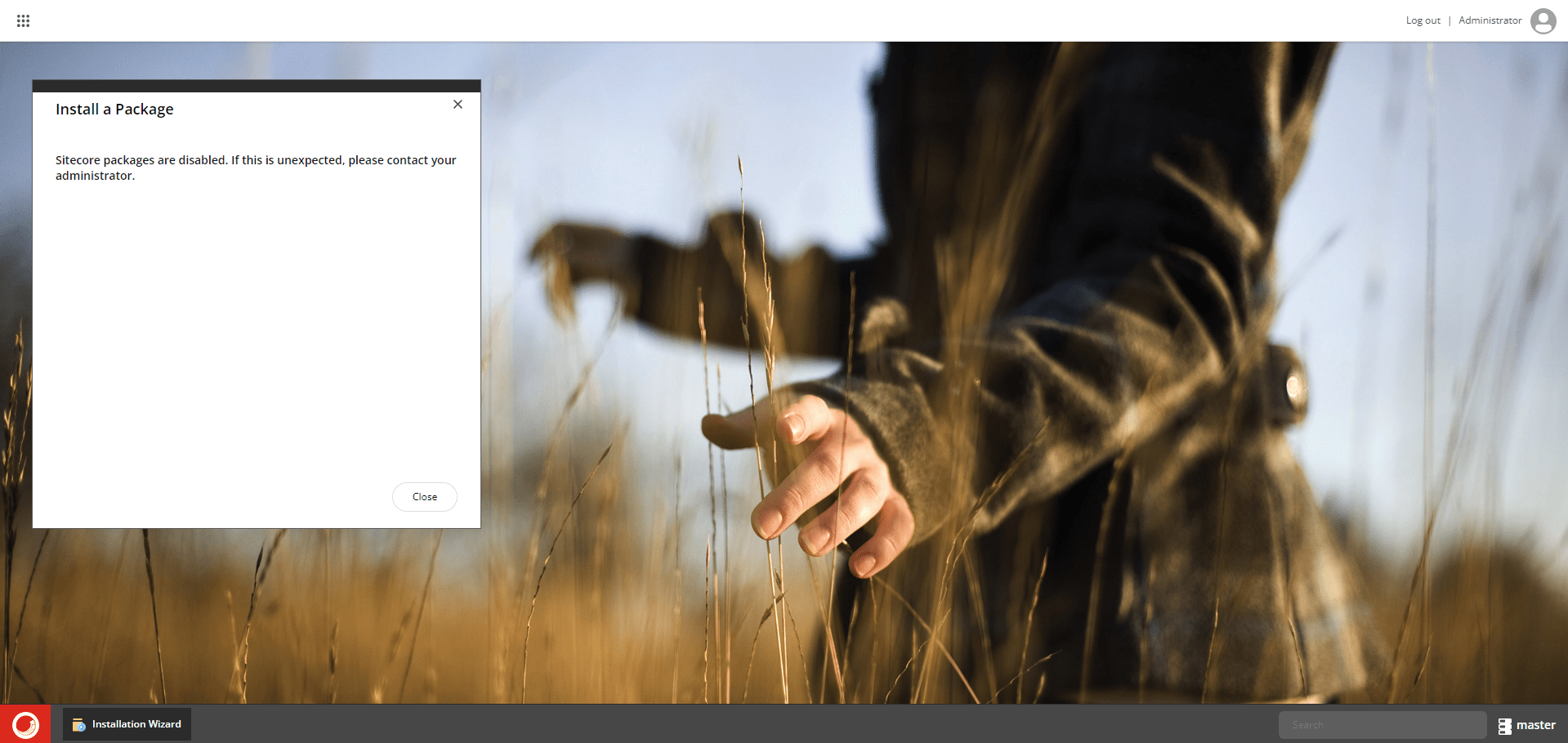
Deploy App_Config/Include/zSitecore.InstallPackage.Enable.config to turn them back on.
GraphQL Playground removed
Playground is out of Sitecore XP. Use Postman, Insomnia or any other GraphQL client.
Telerik 2020.3 to 2025.2
Telerik is updated from 2020.3 to 2025.2, the NuGet package is renamed, and Telerik dependencies are removed from Sitecore.Kernel.
Nothing to do if you only consume Sitecore's pre-built assemblies. If your solution compiles against the Telerik NuGet packages, it now needs your own Telerik licence key - see the breaking changes page for the setup.
BinaryFormatter replacement
BinaryFormatter is dropped because of the known deserialization vulnerabilities. Backward compatibility is one-way: 10.5 reads data written by earlier versions, but not the other way around. Some public APIs are deprecated or behave differently as part of the replacement - check the breaking changes page for the list.
Item Service search locked down
Anonymous search access is blocked and search now enforces content security permissions by default. If you relied on the old behaviour, Sitecore.Services.AllowSearchServiceAnonymousUser has to be enabled explicitly.
Computed index fields
During a parallel index rebuild, worker threads used to start with a null site context and security unconditionally disabled, so custom computed fields reading Sitecore.Context.Site or SecurityDisabler.CurrentValue indexed incorrect values. 10.5 propagates the calling thread's site context and security state into each worker, so those fields can now index different values than they did on 10.4 - details in the breaking changes page.
Everything else
Plenty more in there: database upgrade scripts for Identity Server and messaging, an Application Insights connection string migration, removed legacy jQuery files, caching and rendering performance work, a serious batch of security patches, and a long list of fixes across publishing, Content Editor, Experience Editor, EXM and headless services. Full list in the release notes.
Module compatibility
At release, Experience Accelerator (SXA), Headless Rendering and Codeless Schema Extensions are still undergoing compatibility verification - support lands in upcoming releases.
Conclusion
10.5 puts XP back on current Windows, SQL, Solr and .NET, hardens security, and refreshes the editor UI.
Read the full release notes and breaking changes before planning the upgrade.